
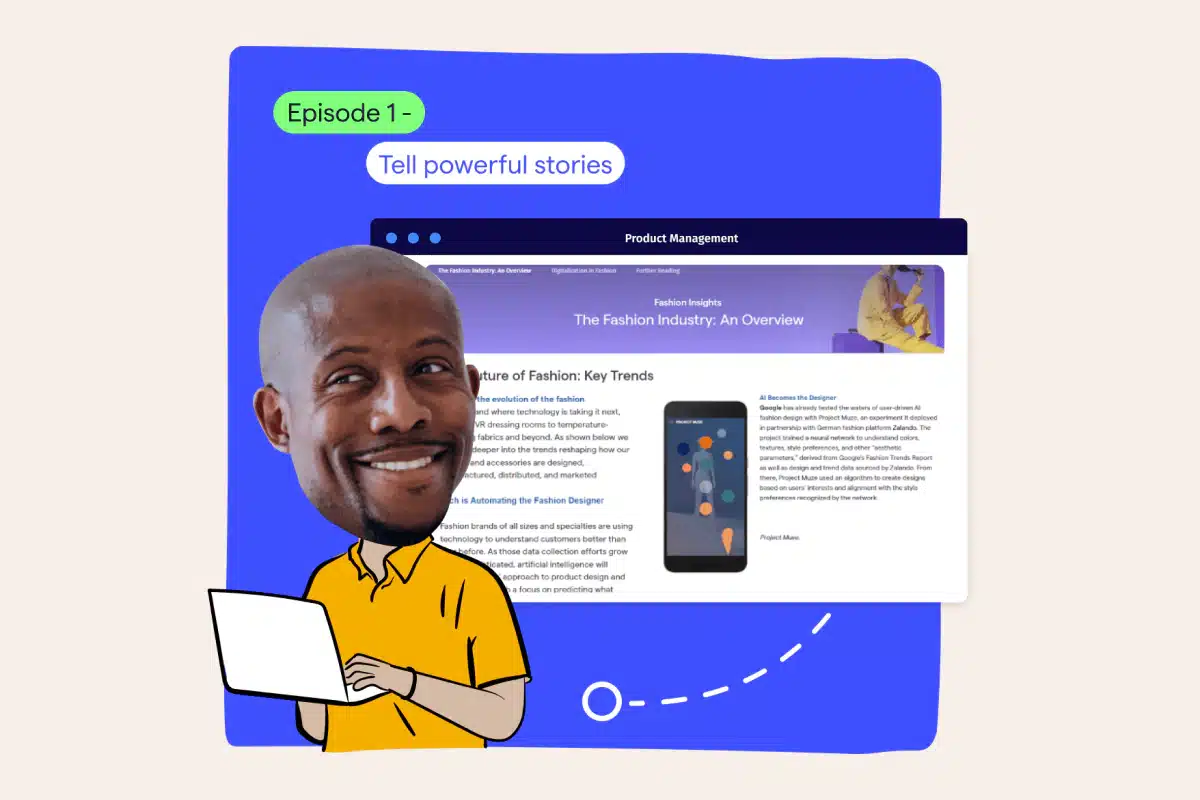
Welcome, everyone, and thanks for joining today. This is the kickoff session of our summer insights boot camp webinar series, which we will be hosting over the summer weeks. My name is Tanja Katz de Suarez. I’m a product marketing manager here at MarketLogic and your host for the next thirty minutes. I’m also joined today by my colleague and customer onboarding expert, Sabrina Bushman. She will lead the platform demo later on. Now one last note before we begin. You will notice the q and a box on your on twenty four screen. That’s going to be open for the entire thirty minutes of this webinar, so please feel free to ask questions when they come up, and we will have time to address them at the end in the q and a. In this series of webinars, we will be covering four topics in four episodes. Each episode explores a unique use case that you, as insights and intelligence professionals, are very familiar with. In these short twenty to thirty minute sessions, we will explore how the MarketLogic insights platform can support you in tackling some of your daily challenges and achieving better and faster outcomes. Now in episode one and two, you will learn how to use MarketLogic’s engagement apps. So see how the storytelling capabilities will ease creating stunning magazine like editorial pages to engage business stakeholders and inspire action. In episode two, we show you how to deliver insights fast and make sure your stakeholders see the news and insights they need to see. Episode three and four are all about research management and automation. Learn the tools on how to accelerate your research circles using templated best practices Joe you don’t have to start from scratch. In episode four, we focus on compliance and how you can deliver market research that is a hundred percent compliant with internal and external requirements and reporting obligations. This is especially relevant for highly regulated industries such as healthcare and pharma. But before we jump right into today’s topic, I do wanna say a few words on who we are. MarketLogic is the market leading provider of insights management solutions with a goal to help companies to becoming insights driven. Our AI enabled insights engagement platform helps consumer focused companies equip their leaders at scale with the trusted insights they need to make smarter moves. For over fifteen years, we’ve helped hundreds of consumer focused brands across the globe transform into insights driven businesses. We’re supporting market leaders such as Unilever, Vodafone, Tesco, driving innovation every day with the support of MarketLogic. Our first episode today focuses on how to tell powerful stories to engage the business with actionable insights to increase the usage of your insights and the daily decision making by fifty to sixty percent. So why should you tell insights driven stories to engage your business stakeholders? Because decision makers only use evidence in fifty percent of their decisions. Fifty percent. So they really prioritize gut feeling over data. Now another challenge is the vast amount of data available that is often ambiguous, really leaving room for interpretation, and making it very difficult to comprehend and therefore use. Now one of the solutions to enable insights driven decisions is using storytelling. Insights make sense when they’re framed in a story. So when sharing customer insights with your business stakeholders, you’re not just delivering the data, the what, but you’re also delivering the meaning behind the data, the why. Creating a compelling narrative around the data makes it more memorable and therefore actionable. That also includes visualize visualization and contextualizing data of data points to create a story that appeals to emotion and not just logic. So here’s where the MarketLogic platform can help you. It enables you in framing and packaging your stories using visually appealing magazine like templates that are easy to use, include different media types to really bring your story to life. Now many of our customers leverage these storytelling capabilities to inspire their business stakeholders towards evidence driven decision making. Among them are companies like Phillips, Dyson, The Home Depot, and Colgate Palmolive. Now let’s jump into the platform and see hands on how it works and some of those use cases deployed by our customers. For that, I will be handing it over to my colleague, Sabrina. Yes. Thank you so much, Tanya. And hello, everyone, also from my side. My name is Sabrina, and I am a customer onboarding manager here at MarketLogic. That means that I essentially work with all of our customers across industries on enabling their user base on how to really make the most out of our market leading insights engagement platform. And one challenge that I frequently see across customers, something that Tania mentioned earlier, business decisions are not always insights based. That, of course, brought us here today to our first topic of the summer boot camp series, and it is all about telling powerful stories and impacting decisions along the way, ultimately, of course, enhancing the decision quality. We will talk about creating, engaging, what we call knowledge zones, and we will talk about why it is even worth your time as an insights professional to tell a compelling story. We say, and we do see this across our customer base, that knowledge zones not only help your stakeholders to walk away drawing the right conclusions from the information at hand, but it also helps them to better remember what they have learned and to build trust in available knowledge because they know they can rely on this, yeah, one source of truth that offers them a holistic picture on the topic that they’re interested in. And the beauty of knowledge zones, of course, is that they build on, yeah, your existing research that is captured or integrated in your MarketLogic platform already, which means with knowledge zones, effective storytelling with insights is made simple. Now let’s imagine and I’m I’m actually going to already switch to my browser for this one. Let’s imagine that you are a CMI manager at a large global food company. What we’re looking at here is, of course, the Joe page of the MarketLogic platform. And in our little scenario, your organization, your business already uses this as part of your daily work and decision making. Of course, your organization is on the best way to truly develop an insights driven culture, but there’s one topic that has been continuing to resonate throughout the organization, and that topic has been inflation. Now for for important hot topics such as inflation, but actually also for any other business topics, for business questions, MarketLogic software features the first AI assistant for trusted market insights, and that is called DeepSights. Within your business, it essentially enables all stakeholders. So whether that’s, yeah, yourself, someone else from the insights team, but also marketing managers, even product managers, to truly harness the power of generative AI in leveraging your organization’s insights. So a first port of call for marketing teams that are concerned about the topic of inflation and are maybe looking to revamp their campaigns to truly take into account this new consumer landscape might be to just go ahead and ask DeepSights how is inflation affecting our consumer behavior. Now I will just go ahead and actually paste this in here. I’m not very good at talking and typing at the same time. And as you can already see, starting a conversation with DeepSights is almost like speaking directly to a colleague. And DeepSights draws accurate answers from your company’s knowledge base in a matter of moments. Don’t worry. The sources, so the the actual reports that the answers are taken from, as well as exact page numbers are, of course, properly available, documented here, and they’re accessible in only one click. Now as an insights manager, you can actually confirm within the system primary research that is being uploaded. Let’s say you now want to address the topic, like inflation here, and really inform the business on how it is affecting the needs and behaviors of your consumers. How can you approach such an important topic and really, yeah, truly contextualize the most relevant research? And we say, of course, with storytelling. And as you maybe recall as Tania has said earlier storytelling is essentially about developing your insights so that they effectively communicate with your stakeholders and become truly understandable and actionable. So let’s talk a little bit more about knowledge Joe and and let me just close out of DeepSights here Joe we can have a closer look at knowledge zones. Maybe I can start by talking a little bit about the concept of a knowledge zone. You can essentially think of knowledge zones almost as, yeah, dedicated microsites in which internal experts, so you, can can share their expertise, can pull together different types of information, often highly curated content of course from, yeah, several market research projects where you can advise the business and help shape thought leadership. Usually knowledge zones revolve around one specific topic but we actually have an additional layer or element that can help you to structure content in a way that it truly guides your stakeholders to the information they need at the right time. And these are knowledge channels. I’m just clicking on the knowledge tab here at the top of my Rini. And what you can see here is that I have this little drop down menu essentially that includes our knowledge channels in which then in different sections individual knowledge zones are hosted. And in in structuring and organizing content in a meaningful way, making it available to the people who need it, who are maybe interested in it, you are, of course, yeah, promoting the the work that you do, promoting yourself, and making sure that everyone is able to access the same information across the business at the same time. I wanted to show you an example of a knowledge zone. We have built one on the topic of inflation. And as you can see, the the inflation knowledge zone basically is the eye catcher here on my Joe page. Now this is because I have decided to add it to my little announcement spotlight over here. But whenever you publish a knowledge zone, it will always also appear in the search area and the database. And then you can essentially decide, do you wanna add it to a knowledge channel as we have seen earlier? Do you wanna add it to the Joe page of your stakeholders so that it really becomes the the must read that no one misses when they log in. Either way, let me just click on it to open up our knowledge Joe. And what we are now landing on is, yeah, what we call the Joe page of a knowledge zone. This is something that we really recommend doing, a best practice that just introduces the the knowledge zone itself to the audience, to your stakeholders, talking a little bit about why does it exist, what kind of content can people expect, for whom would it be most relevant, how often will it be updated, and so on and so forth. Also, a good piece of information to share right from the beginning would be the team of the knowledge Joe. Where’s the information coming from? Who could people reach out to if they had any questions? Your stakeholders or the audience can then deep dive into a topic that they’re most interested in. We have a visual table of content that introduces almost an element of interaction. So I can go ahead and click on the button. It takes me to the next page. And within that page, I’m again greeted with a structure over here and different types of media, types of content. I can see text highlighting some of the key takeaways. I can see the full documents that, of course, I’m able to interact with as well. And if I keep scrolling down, I can see a nice, yeah, mix of of images, of full reports, of text elements. But I can also include dashboards, for example, that would help my stakeholders to, yeah, access real data in real time over here. And let me just close this again. If I keep scrolling down, also videos that have been embedded here. At the very bottom, this knowledge zone was designed that it allows people to now jump to the next page already. And of course here again I’m seeing this this nice engaging mix of of text elements of full documents of images really presenting information in yeah, in in in bite sized pieces, very digestible, easy to read, easy to remember, and always providing the the full reports and the documents that might be interesting for those, yeah, who wanna dive just a little bit deeper yet. I can also include, and you can see an example of this here, news feeds in my knowledge zone. News feeds are dynamic, so they update automatically each time new content comes into the platform. And of course from here, I can yet again jump to the next page, jump to the page that interests me. Here I can see a little bit of a different structure. I’m introducing the table of content widget and maybe that’s an important side note. Everything that you see, so the structure over here, the different layout options, we have templates for that. You don’t need any coding skills. You don’t even need any design skills. You can really sit back and just fill a knowledge zone with content to, yeah, in the end, have a very presentable and engaging result that you can share with your stakeholders. And I will show you how to do this in just a moment. Maybe a few words to this page here before we do that. The table of content, of course, is also interactive, so I can just click on it to be taken to the the section that interests me most. Again, I have a little, yeah, team introduction here. Someone used the q and a widget option which allows visitor stakeholders to publicly post questions and then the team members here of the knowledge zone would be notified, they can reply to the question and in the end, build, yeah, a customized FAQ and and hopefully understand stakeholders even better along the way. Now the way that this specific page he has built, of course, is that it always essentially shows the next quarter and the next reports available for that quarter. If I were now tasked to update this page, all I would need to do is, of course, be part of the team. I’ll show you how to do this in a moment. But I can simply click on the edit icon in the top right corner. Of course, a feature that is only available to team members, to experts, and not to normal business users. And now we see the same knowledge zone, but this time in edit mode essentially. Maybe one of the first things that I can show you here is the different, yeah, template options that I was already referring to earlier. If we take one of the first sections, introduction to our insights here, and I click on the edit icon of this section in the top right corner, I’m actually able to see the different layout options. Some are great for just a lot of documents or a lot of images. We have elements that support, yeah, a focus on on images, on visuals, the Q and A widget, the team widget, the table of content. So all of this is available to you and you can, for each section on one page, flexibly switch and change those layout options so that you ultimately end up with a result that you, yeah, that you really like and that you’re proud to publish to your stakeholders. If you use the standard layout, the first one that we’re also using here, you can even add or remove as many elements as you would like to. So here also full flexibility. Let’s say you want to include maybe another text element. All I need to do is I click on the text element. I drag and drop it over here. It’s added to my section fully flexible. I can move it around here. I can change the size, the shape. I can now tell my story, but I can also delete it again if it’s not needed. If you’re making use of the calendar widget over here, this will actually allow your stakeholders later on to download those calendar invites and to to add them because they’re downloading in ICS format to their personal Outlook calendar that they use on the day to day. So if you have, yeah, an important meeting or just an interesting meeting that people might want to attend but you don’t wanna spam the entire organization by sending proactively the invite, you can make it available here. And people can, yeah, just download it, add it to their calendar, attend if they want to, if they’re interested, essentially. Exactly. Now we’ve seen the template options and the different elements here. I also wanted to talk a little bit about inviting team members to a knowledge zone. This is quite an important topic, and, of course, we not only mean internal team members, maybe a colleague that can help you, yeah, maintain and republish a knowledge zone once a quarter or so. But this can, of course, also include experts from other teams, from other markets, that that maybe bring a different point of view to the the knowledge zone. So it’s essentially about the same bigger topic, but we are bringing in the the the different angles from the different markets, from the different categories, super relevant when it comes to inflation. If you want to invite team members, you have this little configuration button at the top of your screen, which opens the configuration pane here on the left hand side. You can add as many team members as you would like to. You even have the the option to also add external agencies. If you are collaborating on a knowledge zone, they’re providing you with a report anyways. And if you want to invite someone, you can then decide whether you want to make them a co owner, giving them all the rights that you have or whether you want to make them an expert, which lets you assign individual pages to them, ensuring that they can only edit exactly what you have assigned to them, essentially. You can, of course, also add to to the site pages over here. You can create hierarchies. You can really, yeah, have a have a structure that leads your audience to the right information. If, for example, I take one of the pages, I click hold and drag it slightly to the right, you can see how it becomes a subpage or a child page of financial updates, in this case. So there’s no limitation to, yeah, to creating something that really reflects a user journey and helps your audience to really find the material that they need. If you’re collaborating on a knowledge zone, there might also be times where maybe you are done with your page, but a colleague is on vacation, for example, and they have not completed the page yet. That is not a problem. You can always hide pages. So you always have two versions of the knowledge Joe, the draft version that is only accessible to the team members in the draft mode where they can add to it, edit, remove, change it, and then the published version. And if I decide to hide a page, it would not be part of the published version that goes out to the entire business and the stakeholders. Also important, we have full version control here. You always have the possibility to check what has been published when. You can come back to it and have another look at this. Yeah. And when you when you need to make a change because you’re updating a knowledge Joe, let me just show you what this would look like. You, of course, can add a new section. Maybe you already have a placeholder in like I do in this scenario, which means I would remove my placeholder. I would click on the edit icon of the respective section, select a card element, which then allows me to either upload a document from my computer. And this is, of course, the way to go if the the report that you want to provide here is not yet part of the platform. The alternative here, the other option that is actually much more common would be that the report already has been added to your MarketLogic platform, has been uploaded by yourself or by a colleague, has been integrated via a secondary source integration. And in this case, there’s no need to upload it again. Instead, you would just include it here, drag and drop it over from your current activity or your personal notebook, essentially a repository where you can access everything that you’ve saved before. And when you see the document that you want to include, it’s again just a drag and drop to make it available in the section. Last but not least, of course, you want to republish. If you recall, there are always two versions. The draft version, everything’s automatically saved, but nothing’s automatically published. So if you have made the update, just go ahead and click on publish on the top right corner. This will actually give you an option to, yeah, very much control on a granular level who has access to this knowledge zone. If there’s nothing sensitive in here, you can make it available to everyone, the entire internal user base of the platform. But, of course, it’s also possible to look for individual teams, even individual colleagues here to ensure that maybe sensitive information is not shared with the entire user base. You click on next, you publish, and then the new version, the republished version of the knowledge zone, is available to everyone who you included in the target audience. Again, it’s a fantastic way to make sure that you really, yeah, develop insights in a way that they are very actionable, very understandable, and that they are always interpreted in the right way so that the best business decisions for your organizations can be made at all times. And this is everything that I wanted to show you today. I’ll hand it back over to Tanya, who I think, was monitoring the chat and will take some of the questions that you have posted here. Thank you so much. Thanks, Sabrina, for showing, the storytelling features in action. Really nice to see the building blocks bringing the story to life. Good. Now let me wrap up with a summarizing with key takeaways. Storytelling matters. It is an effective tool in making your insight sticky through a curated analysis of, the data and key findings. And that really means two things for you as insight professionals. One, your organization makes more impactful quality decisions because they can remember and apply your insights. And second, your insights team is not just the research function, but they become true advisers to the business and therefore gain greater support and recognition across the business. Make it engaging. Use the different templates to bringing your stories to life. Mash up, different media, videos, images, you know, interactive visualization from your favorite BI social media analytics tools because, remember, your audience, your marketing, and business peers love working with visually appealing and engaging content. And collaboration is key. Ensure to involve your experts and agency partners to share ownership and facilitate collaboration by making your and your company’s team’s work visible. So now we have a few minutes for questions. I can see in the chat window we have some questions. Now let me read them out loud. In the demo, it was mentioned collaborating with agencies. Could you explain a bit more on how this works? Yes. So, you can manage access permissions, by selecting two different roles in the knowledge zones, owners and experts. So an owner would have, you know, full access and full visibility to the content content and is also able to publish the zone, for example, whereas the expert Joe, can be assigned on a page level. So that would then limit the access and visibility to the content, and the experts would also not be able to publish. So that would be the typical use case for, you know, your supplier and your agencies When, you know, they work on building out a knowledge zone with you, they would have expert rights on certain pages. So they can help building out the content and the structure, but they would not be able to see content on any other page, and they would also not have the control to actually publish this entire zone. And, yeah, we have a variety of, you know, those large market research agency help building zones, for our customers. So this is a very typical use case we see. There is another question. How much time does it take to build a knowledge zone? Well, there’s no straight answer to this one. This really depends on the use case. Of course, like, the smaller and the the simpler the the zone is, the quicker it is to set it up. And, the bigger, the more effort it requires. But the general recommendation also here is to really include your subject matter experts in, building out those zones. This would, you know, minimize the effort on each individual, from the team. And, just like with every tool, you know, you’ve done it once. It probably takes a little bit of more time to familiarize yourself with all the different, you know, functionalities available, but the next time around, it’s much faster. So, yeah, there’s no straight answer to this one. And then there’s a third one, future AI support for this feature. If there is generative AI available for this feature. Well, that’s actually a good segue into my next slide and to, what I want to close the session with, a quite exciting outlook. AI curation support for storytelling is actually something that we’re working on. So in the future, you will be able to save even more time with, building out and storytelling, with the AI supporting you and tasks like drafting the outline or designing, your zone or also helping with the navigations based on your prompts. So we’re currently working together with our clients, on evaluating these use cases. So stay tuned for this one. Now we already have available today our AI assistant for trusted insights. It’s called DeepSights. You have seen this earlier in the demo from Sabrina. So you can ask natural language questions and get immediate answers that are based in your knowledge and your data. That means you get answers that you can trust, so no hallucinations, that you may have experienced yourself by using public AI tools like ChatGPT. So you can use this barcode right here to, explore DeepSights for yourself and, you know, get a demo if you want to learn more. This also wraps up our first episode of this webinar series, so please do join me next time, August eight, where we will be looking into how you can deliver insights fast. Now if you have any follow-up questions, please do reach out. Here is the email address that you can reach us on, and we will also be following up with an email where you can, you know, rewatch the recording of this. But thank you so much for joining today, and see you on our next episode. Bye bye.
Say goodbye to information overload and biased cherry-picking! With our cutting-edge insights storytelling tools tailored to insights experts, you can effortlessly curate insights-driven stories. Benefit from stunning magazine-like editorial pages with no-code layouts, making your insights instantly memorable.
Learn how to:
- Create compelling insights narratives using Knowledge Zones.
- Enrich your story and make it memorable by embedding different media.
- Collaborate with experts and suppliers to deliver actionable insights.